Rebuilt a broken image library—92% fewer complaints
Rebuilt a broken image library—92% fewer complaints
Context
Context
When I joined Business Insider, the image management wireframes had already been drafted by another designer. The team had deprioritized modals over a concern they'd "block the writing space"—an assumption never validated with editors. A cramped inline popover shipped instead.
When I joined Business Insider, the image management wireframes had already been drafted by another designer. The team had deprioritized modals over a concern they'd "block the writing space"—an assumption never validated with editors. A cramped inline popover shipped instead.
Problem
Problem
The popover-based library proved unworkable fast. Editors couldn't locate recent uploads or make sense of tiny thumbnails, editing metadata was tedious, and disjointed placement drove up publishing errors.
The "don't block the writing space" rule turned out to be irrelevant—editors prioritized focus over always seeing their draft.
The popover-based library proved unworkable fast. Editors couldn't locate recent uploads or make sense of tiny thumbnails, editing metadata was tedious, and disjointed placement drove up publishing errors.
The "don't block the writing space" rule turned out to be irrelevant—editors prioritized focus over always seeing their draft.
What I did
What I did
Redesigned image management across three iterations: popover → side panels →full-screen modal, validating each against how editors actually worked
Redesigned image management across three iterations: popover → side panels →full-screen modal, validating each against how editors actually worked
Reused design system components throughout to keep engineering velocity high
Reused design system components throughout to keep engineering velocity high
Unlocked high-impact features the old library couldn't support: bulk upload, slideshows, and Getty Images integration
Unlocked high-impact features the old library couldn't support: bulk upload, slideshows, and Getty Images integration
How it evolved
How it evolved
Legacy CMS
Legacy CMS
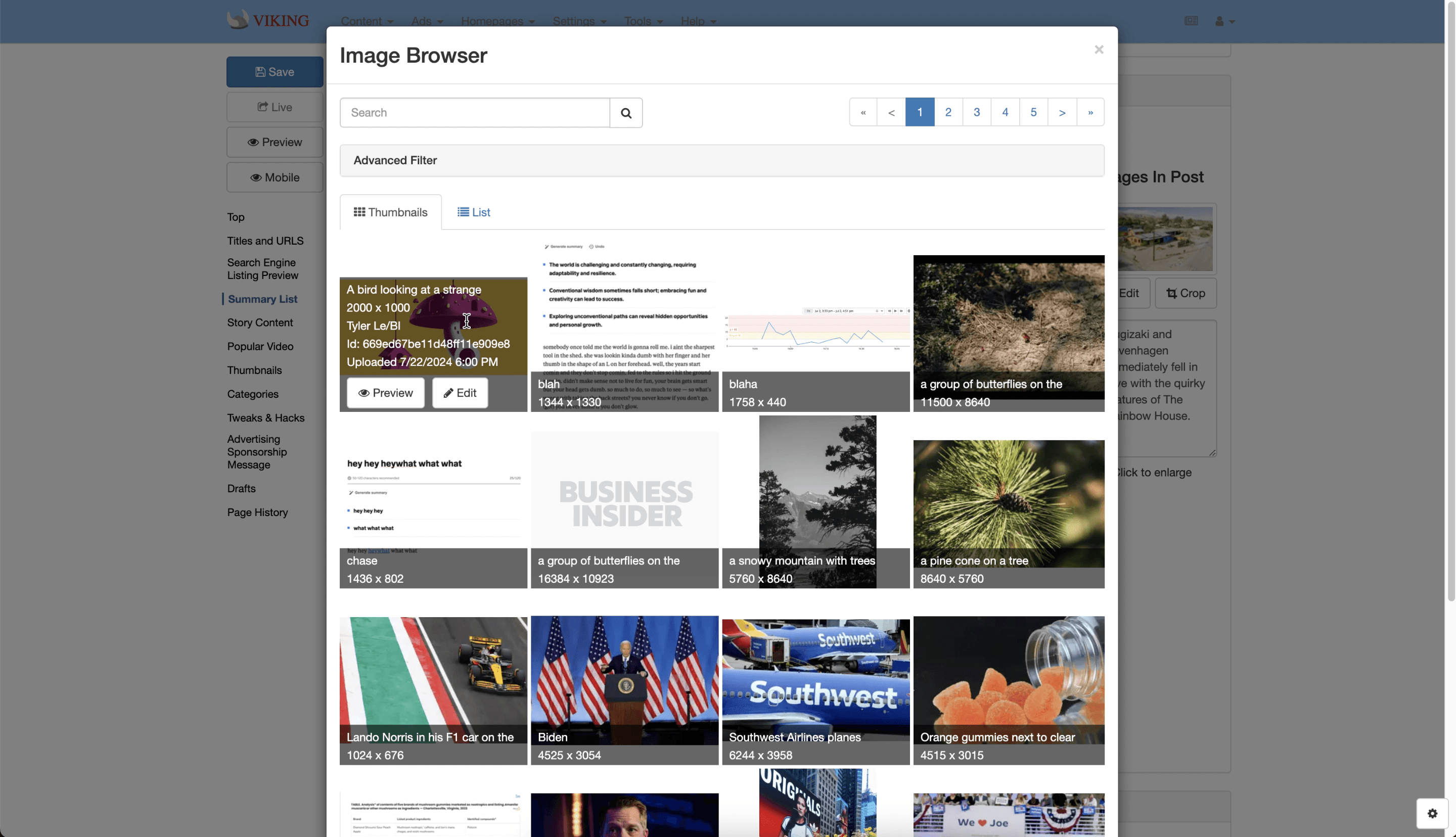
Clunky and disconnected; limited control over images and metadata, no bulk actions.
Clunky and disconnected; limited control over images and metadata, no bulk actions.
Inherited popover
Inherited popover

The shipped MVP: open the asset manager, search, dig through tiny thumbnails. Cramped and never validated with editors.
The shipped MVP: open the asset manager, search, dig through tiny thumbnails. Cramped and never validated with editors.
MVP: panel-based
MVP: panel-based
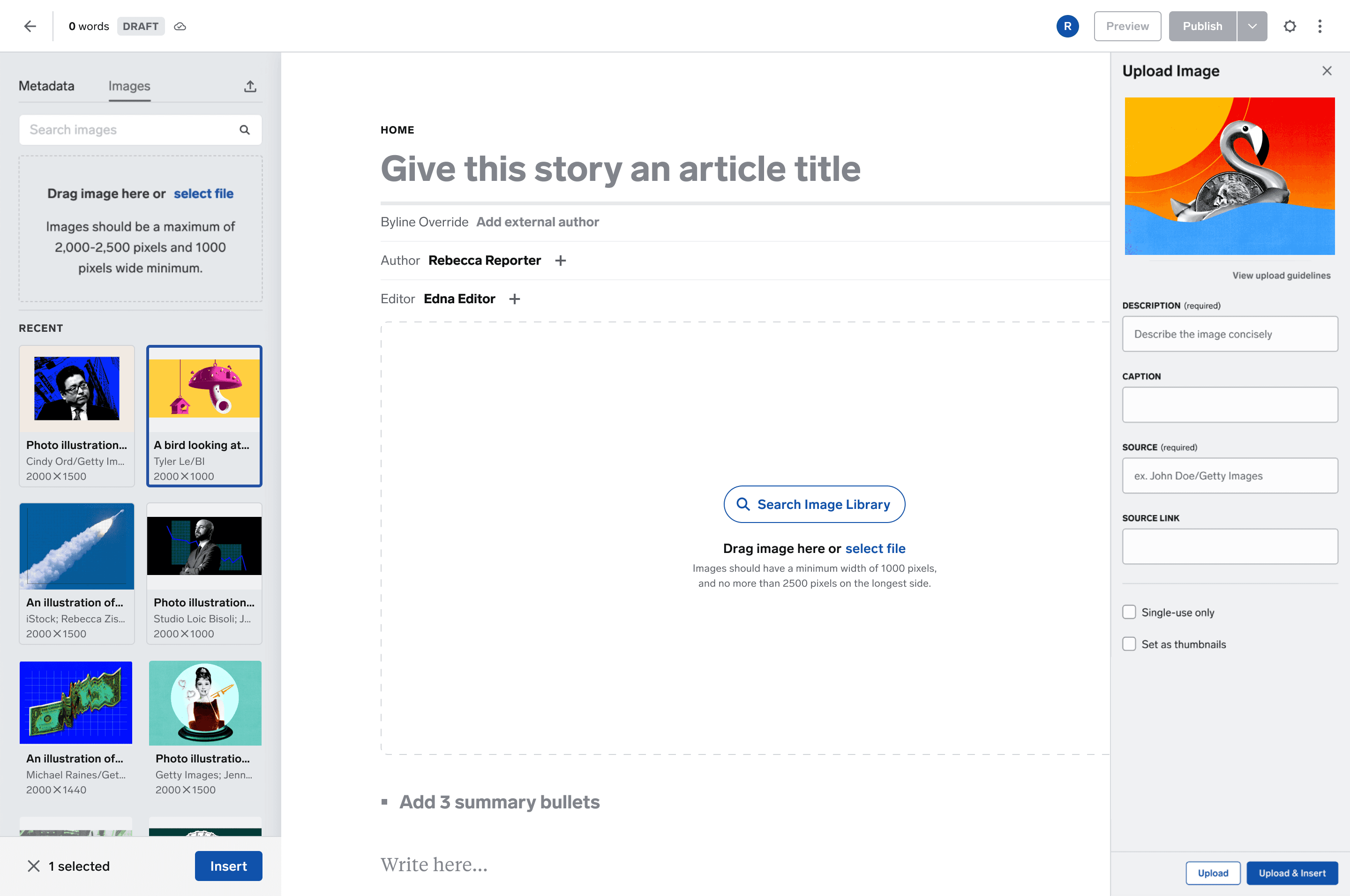
My first iteration: dual side panels aligned with CMS patterns, but jumping between them split focus and added friction.
My first iteration: dual side panels aligned with CMS patterns, but jumping between them split focus and added friction.
Final redesign: full-screen modal
Final redesign: full-screen modal

A dedicated workspace with large previews, fast drag-and-drop, and accurate bulk uploads. Focus over visibility—what editors actually needed.
A dedicated workspace with large previews, fast drag-and-drop, and accurate bulk uploads. Focus over visibility—what editors actually needed.
What it unlocked
What it unlocked
Bulk upload
Bulk upload

Reduced image prep time
Reduced image prep time
Slideshow builder
Slideshow builder

Enabled rich, high-traffic formats
Enabled rich, high-traffic formats
Getty integration
Getty integration

Elimated re-upload friction and improved legal compliance
Elimated re-upload friction and improved legal compliance
Outcome
Outcome
92% drop in image-related complaints
92% drop in image-related complaints
5x increase in CMS publishing velocity
5x increase in CMS publishing velocity
Stories published via the CMS rose from 7% to 35%
Stories published via the CMS rose from 7% to 35%